
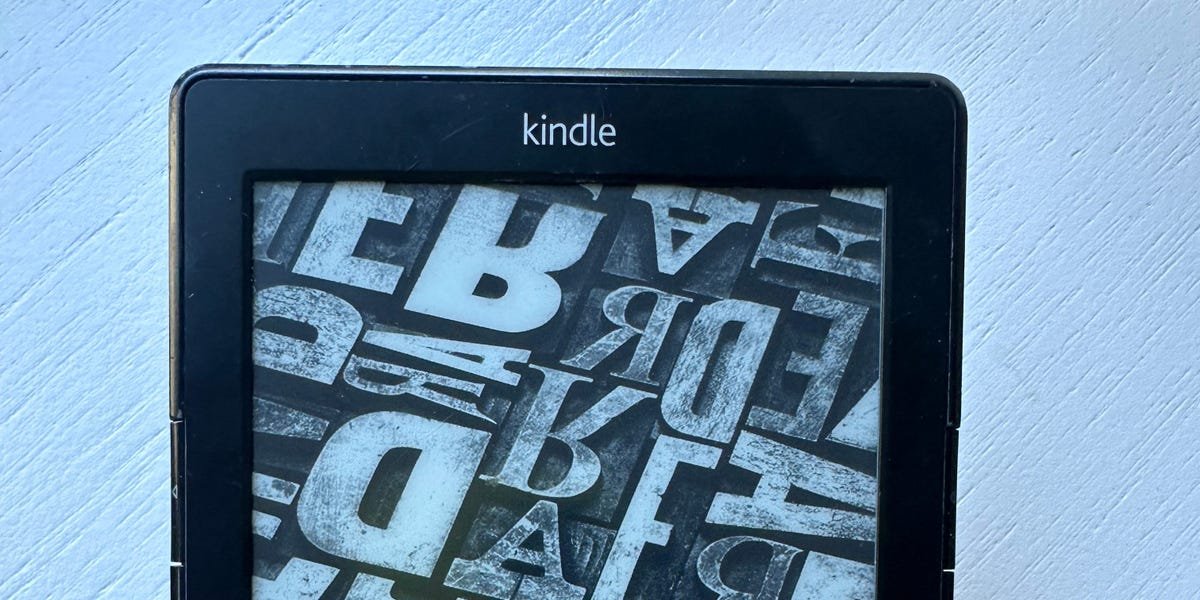
Please be kind to me. I received some devastating news yesterday. An email from Amazon telling me that older model Kindles from before 2012 will no longer be supported, and I won’t be able to add new titles to the device. This means my beloved Kindle 5 — the kind with physical buttons on the side to turn the page — is effectively useless to me.
Here’s what the email said:
Thank you for being a longtime Kindle customer. We’re glad our devices have served you well for as long as they have. Starting May 20, 2026 — 14 to 18 years after their initial launches — we are discontinuing support for Kindle devices released in 2012 or earlier. Here’s what this means for you: * You can continue to read books already downloaded on these devices, but you will not be able to purchase, borrow, or download additional books on them after that date.
* If you deregister or factory reset these devices, you will not be able to re-register or use these devices in any way.Affected devices include Kindle 1st and 2nd Generation, Kindle DX and DX Graphite, Kindle Keyboard, Kindle 4, Kindle Touch, Kindle 5, and Kindle Paperwhite 1st Generation.
Arrggggggg!!!! I love my Kindle 5! I like using the clicky buttons on the side instead of the touchscreens of the newer Paperwhites. Years after it was discontinued, my screen cracked, so I hunted down a $30 replacement Kindle 5 on eBay. I was that committed to the physical buttons.
Beyond the pleasing click of a real button, the bigger issue is that I’m left-handed. When the new Paperwhites came out, I went to a Best Buy to test one, expecting to love it. But I discovered that they had a right-handed bias: To turn the pages forward, you tap the right side of the screen (left for back). This is awkward if you’re holding the device in your left hand! I read a fair amount on the Kindle app on my iPhone, which uses the same left/right page turn method, and I’m constantly flipping backward by accident. It’s a frustrating experience for a lefty!
(Caveat here: not all newer Kindle models work this way; my husband has a Kindle Voyage, which has a different page turning method where you tap an upper button on either side for back, and a lower button for forward.)
It seems like it may still be possible to add new content to your old Kindle by alternative methods, like sending a file to your Kindle email address or using an actual USB cord to add a file. I asked Amazon for clarification here, and a company rep responded with a quote from the same statement they gave customers. They offered no further information.
There may be other unofficial ways, too. There’s a whole world of people who “jailbreak” their Kindles, or change the file formats, or strip off the DRM (digital rights management) of ebooks to make them compatible with various types of devices.
Within this world, there is a subset of people who pirate ebooks. This doesn’t appeal to me, not even on principle so much as practicality: It sounds annoying and hard to do. As a cheap person, I hate paying my hard-earned cash for books, too — but that’s why I have a library card and use the Libby app for ebooks.
I am happy for anyone who finds satisfaction with this arrangement, but it is not for me. I want ease and convenience. I don’t want to be messing around with downloading things to my computer first. I want to do a few taps on my phone and get a book instantly. I don’t want to do any “jailbreaking” of this device. I don’t want to mess around with weird third-party platforms. I like my Kindle for convenience and speed; I’m not looking to complicate things.
Amazon didn’t give a specific reason for why it’s stopping support for these older models, but this isn’t unprecedented. It’s not so unusual for older hardware to experience forced obsolescence like this — there’s a reason you don’t see people using an iPhone 1 too often these days. Supporting software updates for older models takes time and resources, and Amazon probably doesn’t see it as worth it.
What makes this slightly unusual is that these old Kindles are workhorses that are operating just fine after 14 years. My Kindle 5 is one of the few personal tech devices that I haven’t had to upgrade in the last decade. I’ve probably gone through six iPhones and at least two laptops in my Kindle’s lifetime.
Will I get a new one? I guess. I have been curious about some other ereaders, especially the Boox Palma, which seems perfectly pocket-sized. But I’m not happy about it.
